
How to Get Orange County Court Records
The Orange County District Clerk keeps district civil, felony, family, and delinquent-tax files. The County Clerk keeps County Court at Law civil, misdemeanor, probate, and juvenile records. JP and municipal clerks keep their own lower-court files. Online access may begin with iDocket or re:SearchTX. The County Clerk also provides public computers and index books at 801 W. Division Avenue, plus counter and mail copy service. Staff will not perform County Clerk searches by phone or email, though callers can ask about current procedure. The District Clerk routes questions by case type through 409-882-7825.
- Identify the court, cause number, case style, and file date.
- Name the exact pleading, order, judgment, event, or docket sheet.
- Choose online access, an office self-search, counter service, or mail.
- Ask for the current charge, payment method, delivery, and turnaround.
- State whether each requested item must be plain or certified.
Orange County Court Record Mail Searches
The County Clerk search-request instructions pictured here support written mail searches. Civil requests use plaintiff and defendant names plus the file date. Misdemeanor requests use the defendant name, offense, and offense date. Probate and property categories ask for their own identifying facts.
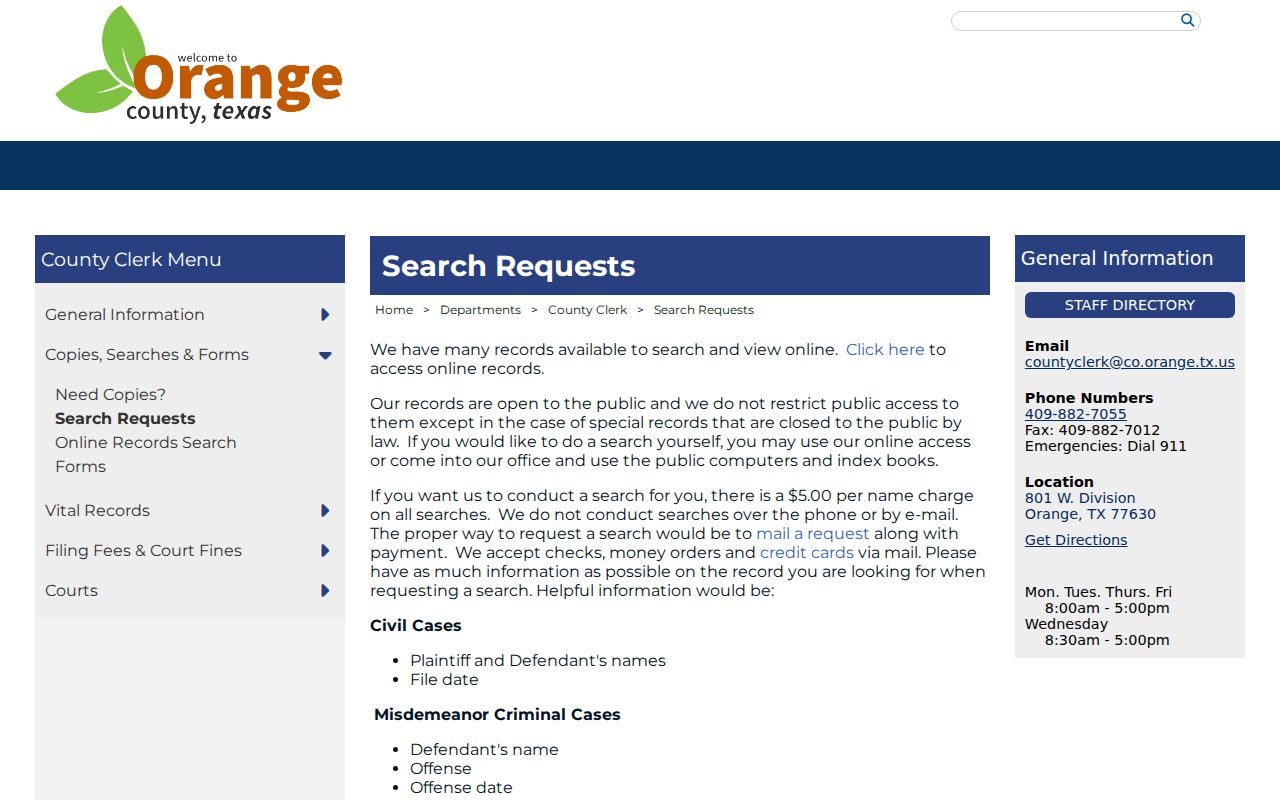
Checks, money orders, and credit cards are accepted by mail under the posted instructions. A $5 search fee applies per name, while copies cost extra. No fixed turnaround was published, so confirm timing before a deadline.
A well-formed request states whether the search concerns civil, misdemeanor, probate, or another County Clerk category. It also separates a name search from a copy order. Search staff can locate an index entry from the published inputs, but the requester should then identify the exact filing to copy. That sequence avoids buying pages that do not answer the question and helps the clerk price certification correctly.
Types of Orange County Court Records
Orange County case files can contain pleadings, process records, orders, judgments, and trial materials. A document link may still be restricted or redacted, especially when probate, family, juvenile, medical, or protected-address information appears in an attachment.
Custody follows the court. The District Clerk indexes district pleadings, enters judgments, issues process, manages costs, and handles appeals to the Ninth Court of Appeals. County-level material follows the County Clerk's duties. A transcript may require the court reporter rather than a simple copy order, while an exhibit may have special custody or access limits.
- Petitions, answers, motions, notices, and amended pleadings
- Citations, subpoenas, returns, writs, warrants, and capias papers
- Signed orders, final judgments, dismissals, and sentencing records
- Jury settings, verdict papers, exhibits, and transcript requests
- Docket sheets, appeal papers, costs, and registry entries
Orange County Probate Record Packet
Orange County's local e-filing instructions preserve an important paper-and-hearing exception. For a probate hearing, the filer is told to bring proof of death, the order probating the will, the oath, and any bond in person instead of e-filing those items. That process can leave the electronic event list less complete than a reader expects from a fully digital file.
The practical lesson is to request the named probate document rather than assume every part of the hearing packet appears through a portal. The County Clerk keeps probate records and can explain whether a public item is in the file, available only at the counter, redacted, or subject to another access limit.
Note: An electronic docket event does not prove that each paper presented at a probate hearing is available as a public image.
Orange County Court Records Before 1985
The County Clerk's online records screen shown below separates “Imaged Books Before 1985” from Official Public Records beginning in 1985. Those choices concern recording records and indexes, not a universal court-case docket.
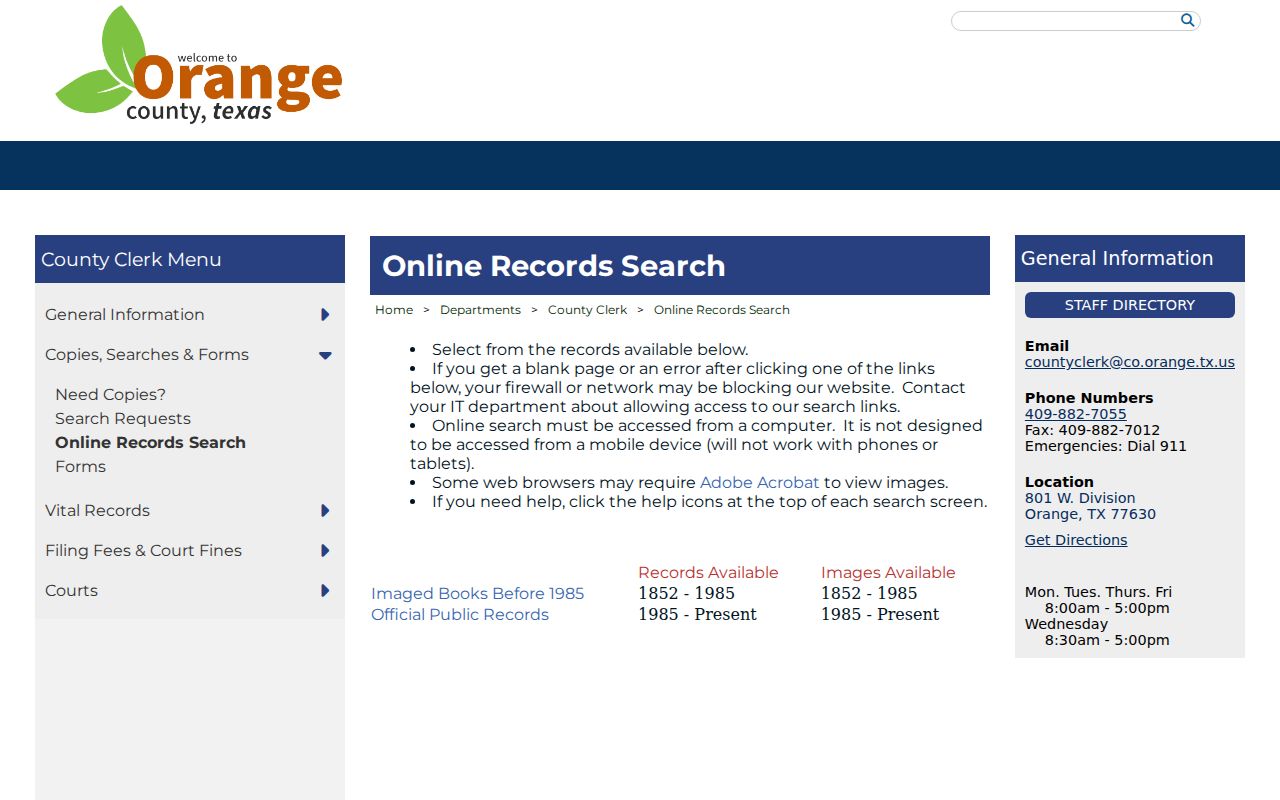
This older-record divide explains why one modern portal may not retrieve every file. Use the office's public computers or index books and ask which series holds the record.
The online screen is designed for a computer rather than a phone or tablet. A failed mobile search may reflect the device, not the absence of a record. At the public counter, begin with a name, approximate date, record category, and known court. The local index is not a promise of a complete statewide case history.
Note: A page labeled online records may cover recorded instruments rather than Orange County court case documents.
What Orange County Court Records Contain
A docket event is a short index entry. The document behind it may contain arguments, service facts, findings, or exact relief that the event description omits. Match every requested item to the court and cause number.
Service is a useful example. A docket may say that a citation, subpoena, notice, or return was filed. That line does not prove legal sufficiency without the underlying paper. An event labeled “order” likewise does not reveal the signed terms, and a disposition label may omit part of the relief. Retrieve the image or ask for the filed copy.
| Cause number and court | The file locator and responsible division. |
|---|---|
| Style and roles | The caption and the parties' procedural labels. |
| Filed date and event | The filing time and its place in the case chronology. |
| Underlying document | The pleading, return, notice, order, or judgment tied to the event. |
| Access flag | Available, sealed, restricted, redacted, or subject to a purchase step. |
Orange County Court Record Choices
Choose the item that answers the question. A docket sheet gives sequence and status. A motion states what a party asked. A signed order or judgment supplies the court's operative terms. Certification proves the reproduction came from the clerk, but it does not turn a short docket summary into the full ruling.
- Docket sheet
- A chronological index of case activity.
- Plain copy
- An uncertified reproduction of a filed item.
- Certified copy
- A clerk-produced reproduction carrying certification.
- Disposition
- An outcome label that should be checked against the signed record.
The County Clerk copy guidance pictured here addresses civil, probate, and criminal copies requested by style, number, and file date.
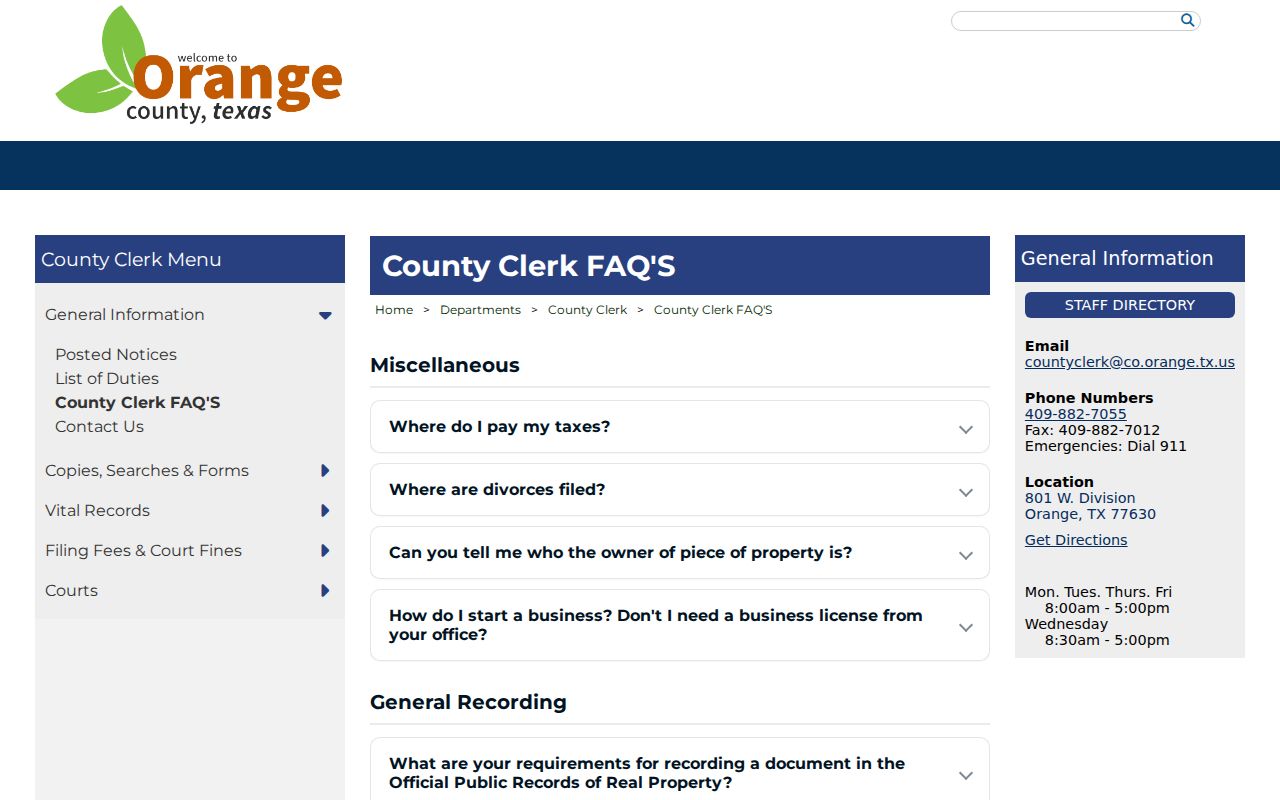
That detail supports ordering a specific document instead of relying on a portal screenshot.
Orange County Court Record Copy Fees
The County Clerk lists $1 per page for plain civil, probate, and criminal copies, plus $5 per case or document for certification. A separate staff search costs $5 per name. These published amounts apply to the County Clerk path. No current District Clerk copy schedule or fixed countywide turnaround was located, so ask that office for a current quote.
| Item | Amount |
|---|---|
| County Clerk plain copy | $1 per page |
| County Clerk certification | $5 additional per case or document |
| County Clerk name search | $5 per name |
| District Clerk copy | Confirm current amount |
Orange E-Filing and Copies
Orange County directs civil, probate, and criminal filings through eFileTexas and links re:SearchTX for eligible access. Submission, public viewing, and clerk certification remain distinct. An accepted filing may have restricted attachments, while a purchased portal image is not automatically a certified record.
Local probate instructions also require proof of death, the order probating the will, oath, and bond to be brought to the hearing rather than e-filed. That exception shows why the electronic docket may not tell the whole document-custody story.
The county e-filing page also gives local filing-code rules for ad-litem and occupational-license work. A rejected envelope may never become the public document expected by the filer. Conversely, a docket event can exist while its image remains unavailable to a portal account. The clerk is still the source for the retained record and its certified form.
Public Access and Sealed Records
Texas court case records do not follow the ordinary agency route under the Texas Public Information Act. The Judicial Branch open-records policy explains that Rule 12 governs administrative judicial records. Case access rests on common law, statutes, court rules, and the clerk as custodian. Texas Rule of Civil Procedure 76a provides a strong presumption of access for covered civil records and a specific sealing test.
Sealed, juvenile, confidential, protected-address, expunged, and redacted content may be absent from Orange County court records. An unavailable image is not permission to bypass a restriction. Ask the custodian which rule applies and whether a public redacted copy exists.
Key Rules:
Texas Rule 12 policy governs access requests for administrative judicial records, not a clerk's court case file.
Texas Government Code Chapter 552 recognizes the judiciary's separate records-access regime.
Texas Rule of Civil Procedure 76a sets the civil court-record sealing standard and presumption of openness.